ReArty: AI Photo, Video Maker
- 4.4
- Rating
- 10.00K
- Installs
- Free
- Price

 Analysis by App-foxy
I spent time with ReArty: AI Photo, Video Maker as an art and design app, and my first impression was that it is aimed at people who want to turn an ordinary image idea into something more stylized without opening a complicated desktop editor. Its focus sits between an AI image generator, a portrait tool, and a lightweight video-creation app. That combination makes it interesting for quick social posts, profile pictures, mood boards, and playful experiments, although it also means the experience is broader than a dedicated editor.
The app is free to install, with optional in-app purchases ranging from $4.99 to $29.99 per item. It comes from BlazeTech LTD and is marked for Teen users. I would describe it as approachable rather than fully professional: you can get attractive results quickly, but the quality depends heavily on the source image, the wording of your idea, and how willing you are to repeat a generation instead of accepting the first result.
How I use ReArty from a normal photo to a finished creation
I treat the first result as a draft, not a finish line: I check whether the subject still reads clearly, then decide if the image is ready to share or needs another focused attempt. Keeping the original photo available makes that choice easier, since I can compare the transformation without losing sight of what I started with. Next, I look at the small setup choices that can prevent avoidable frustration.
You May Also Like

 Pandora - Music & Podcasts
Pandora’s Music Is Easy to Start, but Harder to Recover
Pandora’s strength is its low-effort path from a seed to a station. Its weak spot is how much confidence it asks you to place in connection, setup, and quiet recovery.

 8 Ball Pool
8 Ball Pool Is Built on Rivalries, Rematches, and Routine
A close look at the rivalries, rematches, shared routines, and unanswered safety questions that turn a quick pool match into a persistent mobile community.

 Samsung Music
Samsung Music’s Quiet Strength Is Playing What You Already Own
Its reach comes less from spectacle than from dependable access to a personal library. That simplicity is both the app’s strongest retention engine and its ceiling.

 AccuWeather: Weather Radar
AccuWeather Review: A Quick, Clear Forecast for Everyday Decisions
For everyday plans, the best forecast is the one you can understand quickly. AccuWeather makes rain timing, radar, and local conditions easy to act on, with a few trade-offs.

 Hill Climb Racing
Why Hill Climb Racing Still Turns Crashes Into One More Run
A tiny car, a bumpy hill and one more upgrade: Hill Climb Racing keeps resurfacing because its simple chaos makes every near-miss feel personal.

 AliExpress - Shopping App
AliExpress Makes Global Shopping Feel Personal, but Shoppers Bear the Risk
AliExpress turns a global marketplace into a pocket-sized discovery engine. Its reach is useful, its shopping loop compelling, and its trade-offs easy to miss.
More From Our News Desk
View All News


The baseline workflow is refreshingly simple
My usual starting point is not a carefully prepared studio portrait. I choose a clear photo with a visible subject, decide what I want to change, and then use the relevant creative direction instead of trying to fix everything at once. That matters because AI editing tends to behave more predictably when the request has one main purpose. A portrait conversion, an artistic restyle, and a video treatment are better approached as separate experiments than as one overloaded instruction.
For example, if I want a profile image, I begin with a front-facing photo and keep the requested look fairly direct: a clean headshot, a particular mood, or an illustration style. If I want an art image, I think first about the subject and then about the visual treatment. This simple separation gives me a better basis for comparing results. It also prevents the common mistake of blaming the app when the input itself is dark, blurry, or crowded.
The AI headshot angle is especially useful for casual professional needs. I would use it for a social profile, a creator page, or a temporary portfolio identity, but I would not treat an AI-generated portrait as a replacement for a real photograph when accurate likeness is essential. Small changes to facial structure, hair, or expression can make the image feel polished while still being noticeably different from the person.
The app’s photo and video focus also changes how I think about the output. A still image can survive a little visual exaggeration because the viewer studies one frame. A video needs consistency from one moment to the next. If the result is intended for a short post, I check whether the movement or transformation supports the picture rather than distracting from it. This is one reason I prefer testing a visual idea as a still before spending more time turning it into motion.
Choosing the right starting image makes a bigger difference than expected
One of the most practical habits I developed was preparing a small group of source photos before opening the editor. I look for even lighting, a clear face when creating a portrait, and enough space around the subject for the intended composition. This is more effective than repeatedly generating from a poor image and hoping the AI will reconstruct details perfectly.
For a full-body or fashion-oriented concept, I avoid photos where hands overlap the body or where accessories are partly hidden. For a headshot, I prefer a single visible face rather than a group image. For an art transformation, a simple background often helps the subject remain recognizable. These are not glamorous techniques, but they reduce wasted attempts and make the differences between styles easier to judge.
I also keep the original image untouched. My repeatable workflow is to duplicate the source, try one visual direction, save the result if it works, and then return to the original for the next variation. Editing an already transformed image can compound distortions, especially around facial features, text, and small objects. Starting over may feel slower, but it usually gives me cleaner comparisons.
Where it fits beside ordinary alternatives
Compared with a conventional photo editor, ReArty is better when I want the app to suggest or construct a new visual identity rather than manually adjust exposure, crop, curves, layers, and masks. A traditional editor remains the stronger choice for exact retouching, brand colors, print preparation, or controlled object removal. I would not replace a full mobile editing suite with this app if my work depends on pixel-level precision.
Compared with a specialist video editor, its advantage is the creative shortcut. A dedicated editor gives me a timeline, detailed transitions, audio control, and more predictable trimming. ReArty is more appealing when the goal is to explore an AI-assisted visual idea quickly. In other words, I see it as a generator and concept tool first, not as the final production room for a complex video.
Settings and choices worth checking before generating
I pay attention to the requested style before I start because the same photo can produce very different results depending on whether I ask for a natural headshot, a dramatic illustration, or a more playful transformation. I avoid stacking several unrelated style instructions. “Professional, cinematic, cartoon, vintage, and futuristic” may sound creative, but it gives the system too many competing directions. A shorter, more focused request is easier to evaluate.
When the result feels too artificial, I simplify the concept rather than immediately adding more adjectives. I might remove a dramatic background, reduce the number of visual effects, or ask for a cleaner portrait treatment. When the result feels flat, I add one clear mood or setting. This one-change-at-a-time method is a useful shortcut because it reveals which decision actually improved the image.
Before sharing anything, I inspect the face, fingers, glasses, jewelry, lettering, and background edges. Those areas are common failure points for generated visuals, and a result can look impressive at first glance while containing a distracting detail. I also zoom out and view the image at the size where it will actually appear. A tiny flaw may not matter in a profile thumbnail, while an odd face or warped word can be obvious in a larger post.
The most valuable setting is often the restraint you apply to the request. I get more dependable results by defining the subject, the intended mood, and the broad style, then allowing the app room to interpret the rest. Trying to control every visual detail can make the output feel confused instead of precise.
Handling the body-focused filter responsibly
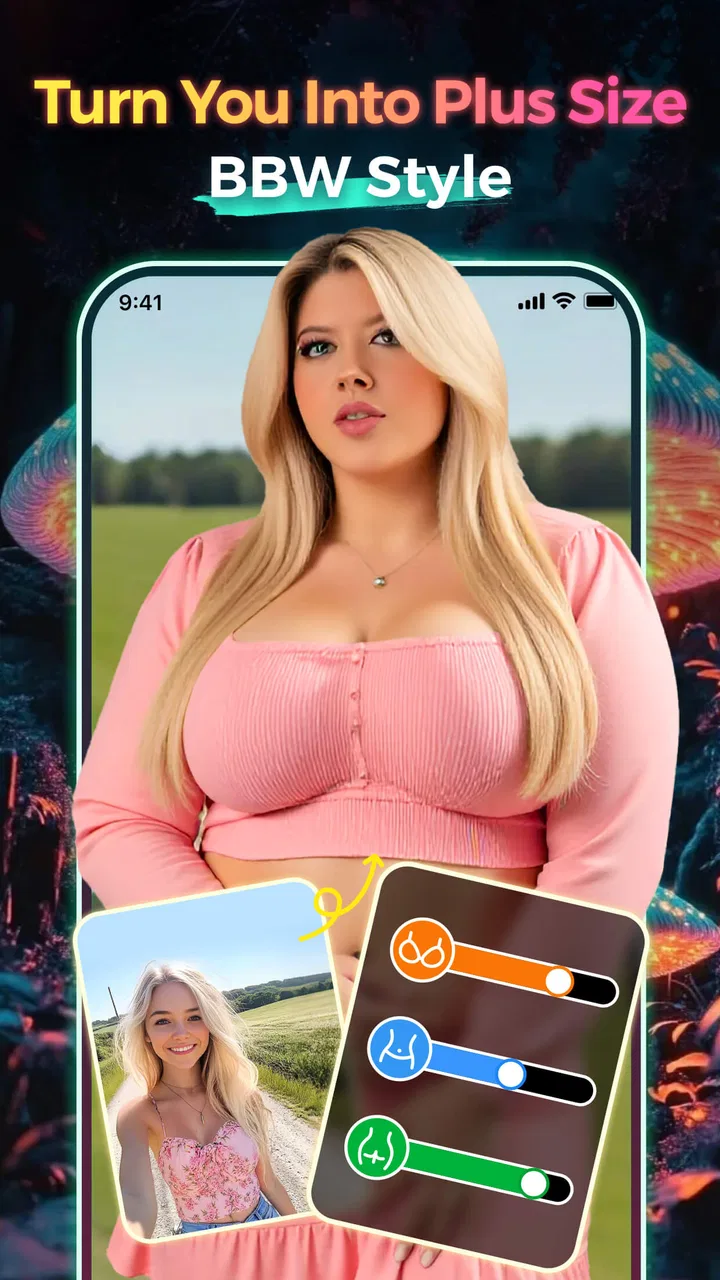
The store description includes a BBW filter, which places body representation among the app’s more noticeable creative uses. I treat that feature as a stylization tool rather than a way to make claims about a real person’s body. If I am editing someone else’s image, consent and context matter. A playful transformation shared privately is very different from altering a person’s appearance and publishing it without permission.
I also think carefully about the audience before using body-changing effects. The Teen content rating makes it especially important to keep the result respectful and avoid turning a person’s body into a joke. The feature may appeal to users exploring inclusive character concepts, fashion ideas, or fictional art, but it is not something I would use casually on a friend’s portrait without asking first.
Repeatable patterns that make the app faster
Experienced use is less about finding one perfect prompt and more about building a small routine. I keep a mental set of three starting patterns: portrait refinement, imaginative restyle, and motion experiment. For each one, I change only the visual goal. That keeps the process organized and makes it easier to recognize which kind of input produces the strongest results on my device.
For portrait work, I begin with the clearest face and a restrained description. For imaginative work, I choose an image with a simple silhouette and let the style carry more of the transformation. For video, I first decide what should move or change in the viewer’s attention. This prevents me from making a video simply because the option exists; the motion should have a purpose, such as revealing a mood, creating a before-and-after moment, or making a still concept feel alive.
Another helpful pattern is to generate variations in batches of ideas rather than endlessly tweaking one attempt. I might try a clean editorial look, a colorful illustrated look, and a darker cinematic look using the same source. Then I compare them side by side. This is quicker than making tiny changes without remembering what changed, and it helps me choose a direction based on the actual output rather than on what I imagined the prompt would do.
I save the strongest result before experimenting further. AI tools can make it tempting to continue chasing an even better version, but the next generation may lose the expression, composition, or likeness that worked in the previous one. Treating a good result as a checkpoint is a small habit with a big practical benefit.
Everyday uses where ReArty makes sense
Imagine I need a new social avatar before a weekend event. I can select a well-lit portrait, explore a polished headshot style, and compare a natural version with a more artistic one. The app is useful here because I am not trying to build a brand identity system; I simply want a fresh image without learning a complex workflow.
Another realistic use is preparing a visual mood board for a personal project. I could start with ordinary photos of clothing, rooms, or sketches and use the art-oriented tools to explore a broader direction. The results would not replace final design assets, but they could help me decide whether a concept feels playful, dramatic, soft, or futuristic before I invest time in a more exact tool.
For short-form content, I would use the video side to test a quick visual hook. A still image that looks good on its own may become more engaging when presented as a transformation or a brief animated idea. I would still finish the post in a dedicated editor if I needed precise timing, captions, music, or multiple clips. ReArty is strongest at helping me discover the visual centerpiece.
Where the shortcuts stop working
The app’s convenience does not remove the usual weaknesses of AI-generated media. Faces can drift, details can become inconsistent, and text inside an image may be unreliable. When the job requires an exact logo, a faithful product shape, or a recognizable person with no visible changes, I would choose a conventional editor or a specialized professional workflow instead.
Video introduces an additional limitation: a visually attractive frame does not guarantee a convincing sequence. If the subject changes shape or the style shifts between moments, the result may feel more like an effect demonstration than a finished clip. I recommend checking the entire output rather than judging it from the opening frame. This is particularly important when the video will represent a business, a product, or someone’s professional image.
There is also a practical cost decision. The app itself is free, but optional purchases are listed from $4.99 to $29.99 per item. I would explore the workflow first and decide whether I actually use it regularly before paying for extras. Someone who only wants one novelty image may find a free trial-style experience sufficient, while a frequent creator may value additional access if it fits their routine. I would not pay simply because a generation failed; I would first improve the source photo and simplify the request.
Compatibility, maturity, and audience
ReArty requires Android 7.0 or later, so it remains accessible to many Android users with older supported devices. The current version is 2.9.0, and the app has been available since December 13, 2024. Its average rating is 4.4 from around 138 ratings, with about 48 written reviews, and it has passed 10K installs. Those figures suggest a developing app with an early user base rather than a long-established creative standard.
That early-stage character is worth keeping in mind. I approach it as a tool to explore and use casually, not as software I would build an entire professional pipeline around without testing it thoroughly. The Teen rating also makes it a better fit for older teenagers and adults who understand the difference between playful editing and harmful impersonation or unwanted body alteration.
My verdict after building a repeatable workflow
ReArty works best when I give it a clear job: create a stylized portrait, explore an art direction, or turn a visual idea into a quick AI-assisted video experiment. Its strongest quality is the short distance between an ordinary source photo and something that feels noticeably different. I appreciate that it can serve both a practical need, such as a profile image, and a creative one, such as testing a visual concept for a personal project.
I would recommend it to curious creators, social media users, and anyone who enjoys experimenting with AI image and video effects without committing to a complicated editor. I would skip it if I needed reliable brand production, exact retouching, detailed timeline control, or guaranteed likeness. In those cases, a traditional photo editor, a dedicated video app, or a professional design program is the better choice.
My final advice is to use the app deliberately: start with a clean source, choose one visual goal, inspect the details, save successful results, and compare variations instead of endlessly rewriting the same idea. With that habit, ReArty becomes a useful creative sketchbook rather than a magic button. I like it most as a fast way to discover possibilities, provided I remain willing to edit, reject, and refine what the AI produces.
FAQs for ReArty: AI Photo, Video Maker
01What is ReArty: AI Photo, Video Maker used for?
ReArty: AI Photo, Video Maker is a creative editing app designed for turning ordinary photos and videos into stylized visual content. It typically combines AI-powered effects, artistic filters, templates, animations, and editing tools in one place. You can use it to create profile pictures, social media posts, short videos, collages, and visually enhanced portraits without needing advanced photo or video-editing experience.
02Does ReArty: AI Photo, Video Maker require an internet connection?
Many of ReArty’s AI effects and creative templates may require an active internet connection because processing can take place online rather than entirely on your device. Basic editing features may work differently depending on the version and platform. For the smoothest experience, use a stable Wi-Fi or mobile-data connection, especially when applying AI transformations, downloading effects, or exporting content made with online templates.
03Is ReArty: AI Photo, Video Maker free to download and use?
ReArty can generally be downloaded for free, but some features, effects, templates, export options, or editing tools may be restricted behind in-app purchases or a subscription. Before starting a trial, carefully check the pricing page, renewal terms, and cancellation instructions shown in the app store. The free version may still be useful, although premium content and possible watermarks can limit what you can export.
04What permissions does ReArty need on Android or iOS?
To edit your own media, ReArty may request access to photos, videos, camera functions, and sometimes microphone or notification permissions. Photo and video access is necessary for importing files and saving finished projects, while camera access may support taking pictures directly inside the app. You can review or change these permissions in your device settings, and it is sensible to grant only the access required for the features you intend to use.
05Is ReArty suitable for beginners, and what should I know before exporting?
ReArty is aimed at casual creators as well as users who want quick AI-assisted results, so its template-based workflow is generally easier than using a professional editor. You can usually select a photo or video, choose an effect, adjust available options, and preview the result before saving. Export quality, processing time, watermarks, and supported formats may depend on the selected tool, your device, and whether you use the free or premium version.
Pros
- Turns ordinary photos into creative AI artwork quickly.
- Offers multiple visual styles for varied editing results.
- Useful for making social media posts and profile images.
- Simple interface makes experimentation easy for beginners.
- Supports both photo and video-based creative projects.
Cons
- AI results can vary noticeably between different photos.
- Some advanced styles or effects may require a subscription.
- Video processing can take longer on older devices.
- Generated images may include occasional visual artifacts.
- Frequent edits may consume considerable storage space.

ReArty: AI Photo, Video Maker
Gallery